




Automate Resource Scheduling and Assignment
Generate optimized schedules in seconds. Not hours.
With VPAutomation, Visual Planning automatically builds optimized schedules based on skills, availability, and operational constraints — so your team spends less time on manual scheduling and more time on decisions that actually require human judgment.

Why Automate Your Scheduling?
Time savings
Generate schedules in seconds instead of hours. Free your planners from repetitive manual work.
Resource optimization
Automatically assign the right resources to the right tasks based on real availability and verified skills.
Fewer errors
Business rules, HR constraints, and operational requirements are applied automatically — every time.
Optimize Scheduling and Resource Assignment Automatically
VPAutomation automates task organization and resource assignment to generate optimized schedules. The system accounts for skills, availability, and operational constraints to streamline activity planning across your organization.
Work Order Sequencing
Automatically schedule activities from predefined templates or routing sequences. VPAutomation organizes tasks in a logical order to optimize operational flow.
Each task can include:
✓ Required skills and certifications
✓ Estimated duration
✓ Execution order and dependencies ✓ Associated work order

Automatic Resource Assignment
Automatically assign available resources to tasks based on skills and availability. VPAutomation distributes workload efficiently across teams without manual intervention.
The system accounts for:
✓ Resource skills and qualifications
✓ Current availability
✓ Work pace and capacity
✓ Planned and unplanned unavailability
Business Constraint Compliance
Scheduling automation integrates organizational rules and professional constraints to guarantee consistent, compliant schedules every time VPAutomation runs.
VPAutomation accounts for:
✓ Working time rules and regulations
✓ Mandatory rest periods and breaks
✓ Staff unavailability and time off
✓ Operational and contractual constraints

How VPAutomation Works
A simple four-step process to generate optimized schedules automatically.
1
Step 1
Define your tasks
Build your task templates and associate the required skills and qualifications for each activity.
2
Step 2
Configure your constraints
Define your business rules, HR requirements, and operational constraints.
3
Step 3
Run the automation
VPAutomation generates an optimized, constraint-compliant schedule automatically.
4
Step 4
Adjust if needed
Planners retain full control and can modify assignments based on real-time priorities.
Result
an optimized, balanced schedule that respects every constraint in your organization.
Who Uses VPAutomation?
Leadership and Managers
Get a consolidated view of resource organization to improve productivity and manage activities at the group level.
✓ Visualize resource utilization across the organization
✓ Track team performance against plan
✓ Optimize activity organization at scale
Resource Planners
Automate schedule creation and optimization while accounting for constraints and skill requirements.
✓ Generate schedules automatically in seconds
✓ Assign resources based on verified skills and availability
✓ Adapt schedules quickly when conditions change
Operations Managers
Coordinate teams and optimize resource utilization to improve operational performance across sites and departments.
✓ Track resource assignment across every active operation
✓ Optimize team workload distribution
✓ Improve operational efficiency without adding headcount
HR Managers
Ensure schedules comply with working time rules and organizational constraints — automatically, without manual checking.
✓ Enforce HR and labor compliance requirements
✓ Manage staff unavailability and time-off rules
✓ Protect schedule integrity across every team
Explore Other Visual Planning Features

Gantt Chart Views
Plan projects and track task dependencies with Gantt charts connected to resource management.
>

Kanban Boards
Organize tasks and visualize workflow progression at every stage of the process.
>
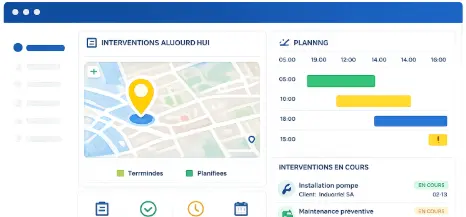
Geolocation
Supervise field teams and visualize resource locations on an interactive map.
>

AI Planning Assistant
Analyze scheduling data and improve decision-making with VPPilot.
>
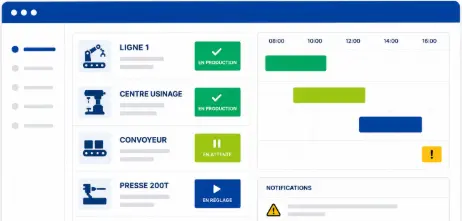
Automated Scheduling
Optimize activity planning with VPAutomation's automated sequencing and scenario simulation.
>

Dashboards and Reporting
Analyze projects and resources with customizable dashboards and real-time reports
>
Automated Scheduling Software
Frequently Asked Questions
What is VPAutomation?
VPAutomation is Visual Planning's automated scheduling engine. It generates optimized schedules automatically by organizing tasks, assigning available resources, and applying business rules and organizational constraints. Teams benefit from faster schedule creation, better resource utilization, fewer manual errors, and improved operational efficiency.
Can VPAutomation automate resource assignment?
Yes. VPAutomation automatically assigns available resources to tasks based on skills, availability, work pace, and planned unavailability. The system balances workload distribution across teams without manual intervention — while respecting every configured constraint.
Does VPAutomation comply with HR and labor requirements?
Yes. VPAutomation integrates working time rules, mandatory rest periods, staff unavailability, and organizational constraints into every schedule it generates. Automatically generated schedules comply with your HR and labor requirements without manual verification
Can planners modify an automatically generated schedule?
Yes. Planners retain full control over the schedule after VPAutomation runs. They can adjust assignments and modify the generated schedule based on real-time priorities and operational conditions. Automation provides the optimized baseline — your team makes the final calls.
Can VPAutomation handle complex scheduling environments?
Yes. VPAutomation is designed for environments where many constraints must be satisfied simultaneously — multiple skill requirements, variable availability, HR rules, customer priorities, and operational constraints. The more complex the environment, the greater the time savings compared to manual scheduling.
What are the main benefits of automated scheduling?
Automated scheduling reduces schedule creation time, eliminates manual assignment errors, optimizes resource utilization, and guarantees constraint compliance across every generated schedule. Teams spend less time on repetitive scheduling tasks and more time on decisions that require human judgment.
Your Schedules Should Build Themselves. With VPAutomation, They Do.
Join the teams that use VPAutomation to generate optimized schedules in seconds, eliminate manual errors, and keep every resource assignment compliant with your business rules.