




Kanban Board Software for Task and Workflow Management
See every task, every workflow stage, and every bottleneck — in one shared view.
Visual Planning's Kanban boards give teams a clear, structured view of task status and workflow progression — connected to project scheduling and resource management so nothing falls through the cracks.

See Your Workflows at a Glance
Task Organization
Structure tasks in columns that match your workflow stages to organize activities clearly across every team and project.
Progress Tracking
See task status at a glance — what is in progress, what is complete, and what is waiting for the next step.
Work Prioritization
Rank tasks by priority and adapt focus so teams always work on what matters most right now.
Build Workflows That Match How Your Teams Actually Work
Visual Planning's Kanban boards adapt to the specific processes of every team and project type.
✓ Create custom columns that match your workflow stages
✓ Add and move tasks with drag-and-drop
✓ Adjust priorities in real time as conditions change
✓ Configure workflows to fit your team's specific process

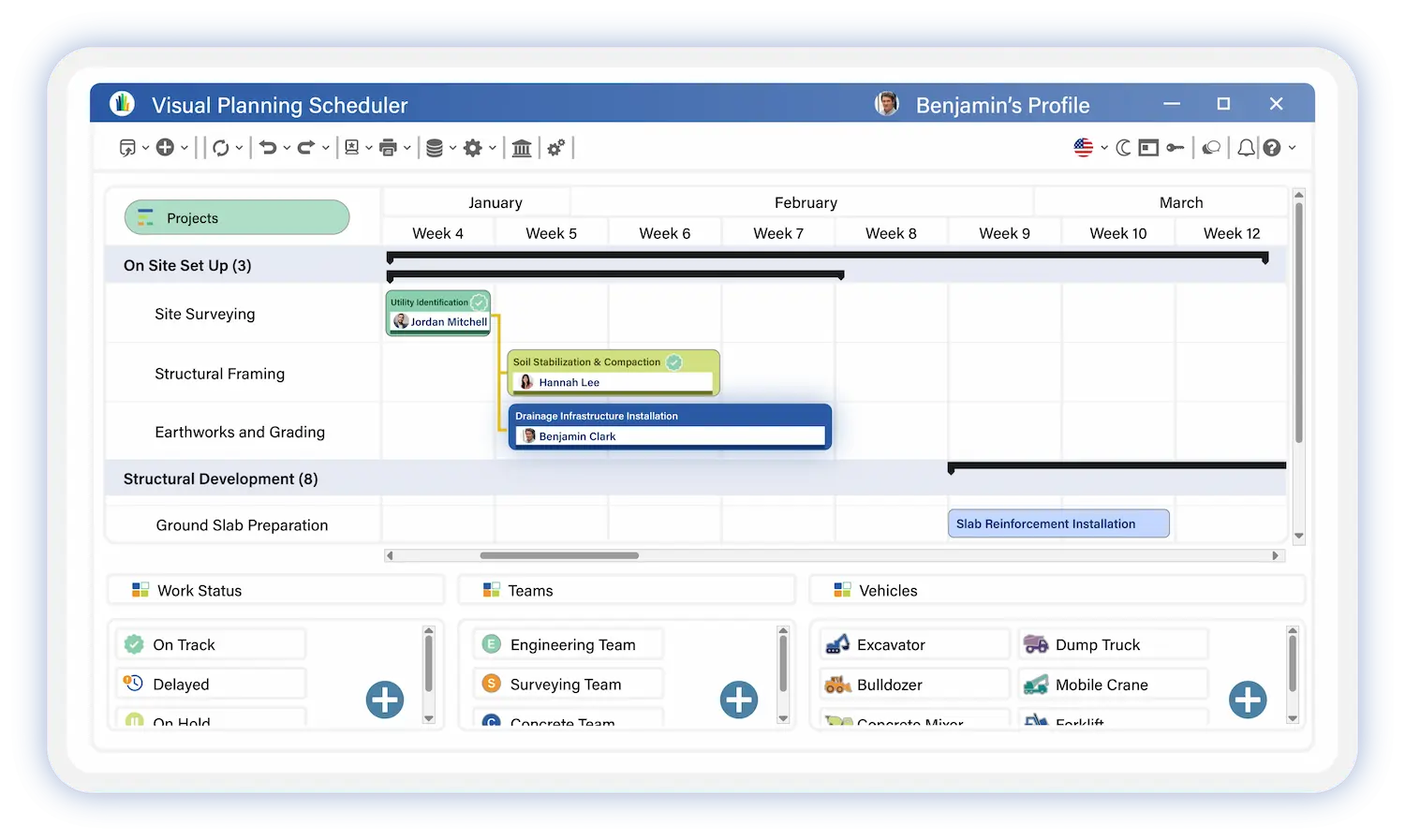
Track Every Task at Every Stage
Kanban boards give teams live visibility into workflow progression without manual status updates or status meetings.
✓ Tasks in progress and their current stage
✓ Completed activities and what moved through the pipeline
✓ Blockers and bottlenecks in the workflow
✓ Priority items that need immediate attention
This approach improves activity management and keeps team productivity moving forward.
Coordinate Teams Around Shared Workflows
Kanban boards in Visual Planning make cross-team collaboration straightforward — everyone sees the same task status, the same priorities, and the same next steps.
✓ Share tasks and assignments across team members
✓ Track individual and team responsibilities in one view
✓ Visualize active activities across every contributor
✓ Coordinate actions between departments without back-and-forth.

Kanban Connected to Scheduling and Resource Management
Visual Planning's Kanban boards connect directly to project scheduling and resource management. This is what sets it apart from standalone task management tools.
Most Kanban tools show you what needs to get done. Visual Planning shows you what needs to get done, who is available to do it, and whether your team has the capacity to hit the deadline.
✓ Link tasks to projects and active work orders
✓ Associate activities with specific resources and team members
✓ Track deadlines alongside workflow status
✓ Synchronize Kanban task status with the project schedule in real time
Connects to Your Existing Tech Stack
isual Planning's Kanban boards connect to your business tools to centralize information and keep activities synchronized across systems.
ERP · CRM · HRIS · Business applications
Data flows automatically between systems — no duplicate entry, no information gaps between tools.

Built for Every Role in the Organization
Leadership and Managers
Get a consolidated view of team activity status and organizational priorities without chasing updates.
✓ Visualize task status and completion rates across teams
✓ Identify team priorities and workload distribution
✓ Track project progression at the portfolio level
✓ Maintain a global view of all active activities
Project Managers
Organize tasks by workflow stage and keep every project moving without bottlenecks.
✓ Structure tasks by workflow phase and priority
✓ Track deadlines and milestone status in real time
✓ Identify blockers before they stall the project
✓ Coordinate team activities around shared workflow visibility
Operations Teams
Stay on top of assigned tasks and understand exactly where every activity stands in the process.
✓ See assigned tasks and their current workflow stage
✓ Track active activities without manual status reporting
✓ Understand next steps and
✓ Collaborate across teams from one shared view
Operations Managers
Identify workflow bottlenecks and drive continuous process improvement across teams.
✓ Analyze workflow throughput and process efficiency
✓ Identify bottlenecks before they impact delivery
✓ Improve process efficiency based on real workflow data
✓ Optimize activity organization across departments and sites
Explore Other Visual Planning Features

Gantt Chart Views
Plan projects and track task dependencies with Gantt charts connected to resource management.
>

Kanban Boards
Organize tasks and visualize workflow progression at every stage of the process.
>
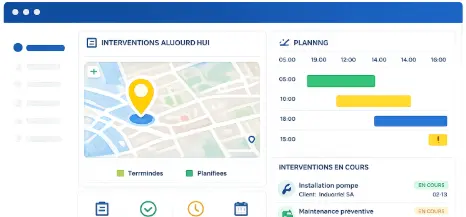
Geolocation
Supervise field teams and visualize resource locations on an interactive map.
>

AI Planning Assistant
Analyze scheduling data and improve decision-making with VPPilot.
>

Automated Scheduling
Optimize activity planning with VPAutomation's automated sequencing and scenario simulation.
>

Dashboards and Reporting
Analyze projects and resources with customizable dashboards and real-time reports
>
Kanban Board Software
Frequently Asked Questions
What is a Kanban board?
A Kanban board is a workflow management tool that organizes tasks into columns representing different stages of a process. Tasks are displayed as cards that move across columns as work progresses — giving teams a live, shared view of what is in progress, what is complete, and what is blocked at any point in the workflow.
What is Kanban board software used for?
Kanban board software is used to organize tasks by workflow stage, track activity progress across teams, identify bottlenecks, manage priorities, and improve cross-team coordination. In Visual Planning, Kanban boards also connect to project scheduling and resource management — so teams see task status and whether the team has the capacity to deliver on time.
Can Visual Planning's Kanban columns be customized?
Yes. Visual Planning lets teams create custom columns that match their specific workflow stages — from simple to-do, in progress, done structures to complex multi-stage approval and delivery workflows. Each team configures its Kanban board to fit its actual process.
Can Visual Planning track multiple projects with Kanban boards simultaneously?
Yes. Visual Planning manages multiple projects and workflows in Kanban view simultaneously. Teams and managers see task status across every active project with the ability to filter by project, team, priority, or deadline — all from one platform.
Do Kanban boards in Visual Planning support resource assignment?
Yes. Tasks in Visual Planning's Kanban boards can be associated with specific resources and team members. Managers see who is responsible for each task, track workload distribution across the team, and connect Kanban task status directly to the project schedule and resource availability.
Is Kanban suitable for all types of teams?
Yes. Visual Planning's Kanban boards adapt to project teams, operations teams, production teams, field service teams, and administrative functions — each with their own workflow configuration, column structure, and priority rules. The same platform supports every team type without requiring separate tools.
Your Team Knows What Needs to Get Done. Make Sure They Can Always See It.
Visual Planning's Kanban boards give every team a live, shared view of task status, workflow progression, and priority — connected to the schedule and resources that make delivery possible.