




Shift scheduling software for rotating teams
Build Repeatable Shift Patterns and Keep Every Shift Covered
Visual Planning helps operations teams create rotating schedules, organize day and night shifts, and coordinate coverage across multiple teams and locations. Adjust assignments quickly when demand changes, an employee calls out, or an unexpected scheduling issue occurs.
- Build rotating shift patterns for days, evenings, nights, weekends, and on-call coverage
- See who is assigned to every shift, role, location, or work area
- Adjust schedules quickly when demand changes or an employee becomes unavailable

Features
Everything you need to manage rotating shift schedules
Visual Planning brings shift patterns, team assignments, and schedule changes into one configurable workspace.
Custom shift patterns
Create scheduling patterns that reflect the way your organization operates, including day, evening, night, weekend, and on-call shifts.
Repeatable rotations
Repeat shift cycles across the timeframe you choose to build upcoming schedules faster and reduce manual re-entry.
Shift coverage visibility
See which teams and employees are scheduled for each shift, role, department, work area, or location.
Real-time schedule adjustments
Update an assignment or rotation as operational needs change while keeping the full schedule visible.
Multi-location scheduling
View schedules across multiple teams, departments, facilities, or locations in one configurable workspace.
Dashboards and Reporting
Track scheduled hours, open shifts, reassignments, and other indicators configured for your organization.
Build Repeatable Rotating Schedules
Create the Pattern Once and Apply It Across Future Schedules
Shift-based operations often follow a repeating sequence of day shifts, evening shifts, overnight work, and days off. Visual Planning lets you represent these patterns and apply them to the appropriate teams over the timeframe you select.
- Create shift cycles that match your operating model
- Organize fixed, rotating, overnight, weekend, and on-call schedules
- Repeat rotations across multiple weeks or months
- Schedule by team, role, department, work area, or location
- Make a one-time change without rebuilding the full rotation


Keep Every Shift Covered
Respond Quickly When Plans Change
An employee callout, an unexpected workload increase, or a change in priorities can disrupt an established rotation. Visual Planning helps managers identify the affected shift and update assignments while maintaining a clear view of the overall schedule.
- View staffing assignments across day, evening, and overnight shifts
- Identify shifts that still require an assignment
- Review available resources using information stored in Visual Planning
- Modify one shift without changing the entire rotation
- Share an updated schedule with authorized managers and employees
Configure, Monitor, and Connect
Adapt Shift Scheduling to Your Operating Requirements
Every organization has its own shift lengths, team sequences, qualifications, staffing expectations, and operating rules. Visual Planning can be configured to make the information and constraints relevant to your environment visible during scheduling.
- Configure fields, statuses, views, and scheduling rules
- Account for recorded working hours and rest periods
- Flag inconsistencies based on configured controls
- Associate assignments with required criteria
- Track scheduled hours and schedule changes
- Build dashboards using your operational data


Integrations
Connect Shift Data With Your Business Systems
Exchange relevant scheduling data with the applications already used by your organization.
- ERP, HRIS, and line-of-business applications
- Time tracking and attendance systems
- SQL databases
- REST APIs and web services
- Custom interfaces based on project requirements
One Platform for Operations Leaders and Shift-Based Teams
Visual Planning gives each role the visibility it needs to make faster, better-informed scheduling decisions.
For Operations Leaders and Schedulers
Decision support for the people who build and adjust the schedule.
✓ Build shift cycles — Create repeatable work sequences and apply them to the appropriate teams.
✓ Monitor shift coverage — See who is scheduled for every shift, role, work area, and location.
✓ Handle last-minute changes — Adjust assignments quickly when availability or operational priorities change.
✓ Coordinate multiple locations — Bring schedules from multiple teams, departments, or facilities into one view.
✓ Analyze scheduling activity — Use configurable dashboards and KPIs to improve future rotations.
For Employees working rotating shifts
A clear, up-to-date view of what's next.
✓ Check individual schedules — View upcoming work hours and assignments in a clear, up-to-date schedule.
✓ Access schedules remotely — View authorized scheduling information through the web, VPPortal, or the VPGo mobile app.
✓ Stay informed about changes — See schedule updates recorded by managers and authorized planners.
✓ Receive key information — Get the notifications and communications enabled in your organization's configuration.
Shift Scheduling for Continuous Operations
Adapt Rotating Schedules to Your Industry
Visual Planning supports shift-based organizations that need clear schedules, recurring rotations, and reliable handoffs.
Manufacturing and Production
Coordinate crews across production lines, work centers, and shifts, then adjust rotations as operating requirements change.
Healthcare and Human Services
Organize shift rotations, on-call schedules, and team handoffs across departments, facilities, or care settings.
Security Operations
Schedule guards across fixed posts, extended operating hours, and multiple locations.
Logistics and Warehousing
Coordinate teams across docks, warehouse zones, and shifts to support changing activity levels.
Customer Service and Contact Centers
Build schedules around service hours and make current shift information available to the right teams.
Energy, Utilities, and Infrastructure
Plan rotating crews, on-call coverage, and operational handoffs that support continuous service.
Are Complex Shift Rotations Slowing Down Your Team?
Create repeatable rotations, keep every shift visible, and respond faster when plans change.
Explore Other Visual Planning Features

Gantt Chart Views
Plan projects and track task dependencies with Gantt charts connected to resource management.
>

Kanban Boards
Organize tasks and visualize workflow progression at every stage of the process.
>
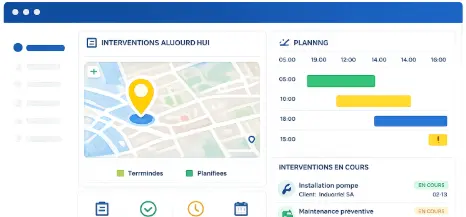
Geolocation
Supervise field teams and visualize resource locations on an interactive map.
>

AI Planning Assistant
Analyze scheduling data and improve decision-making with VPPilot.
>

Automated Scheduling
Optimize activity planning with VPAutomation's automated sequencing and scenario simulation.
>

Dashboards and Reporting
Analyze projects and resources with customizable dashboards and real-time reports
>
Shift Scheduling Software
Frequently Asked Questions
What is shift scheduling software?
Shift scheduling software helps organizations create, share, and update employee work schedules. Visual Planning provides a configurable environment for building rotating shift patterns, assigning teams, and managing schedule changes across departments or locations.
Can Visual Planning Create Rotating Shift Schedules?
Yes. Visual Planning lets you create custom work cycles and apply them to teams over a selected period. The configuration can reflect the shift patterns used by your organization.
Can We Schedule Overnight, Weekend, and On-Call Work?
Yes. Different shift types can be represented in the schedule so managers can see who is assigned to nights, weekends, holidays, and on-call coverage.
Can Visual Planning Manage Shift Schedules Across Multiple Locations?
Yes. Configurable views can consolidate rotations across multiple teams, departments, facilities, or locations while respecting each user’s access rights.
What Is the Difference Between Shift Scheduling and Workforce Planning?
Shift scheduling focuses on work hours, recurring rotations, shift coverage, and schedule changes. Workforce planning provides a broader view of employee availability, workloads, skills, certifications, capacity, and workforce requirements.
Does shift scheduling integrate with payroll and HRIS?
Visual Planning can exchange relevant scheduling data with payroll, HRIS, time tracking, ERP, and line-of-business systems through APIs, web services, database connections, and custom interfaces. The integration scope depends on your systems and project requirements.
Build Shift Schedules Your Teams Can Rely On
Visual Planning helps you build shift schedules, manage rotations, and keep workforce
coverage consistent, without the spreadsheets and last-minute scrambles.