




Training scheduling software
Plan your training, coordinate your resources.
Schedule your sessions, assign your trainers, book your rooms and track registrations from a centralised interface. Visual Planning gives you a clear view of your activity so you can anticipate conflicts and optimise your resources.

active users
%
satisfaction rate
%
average productivity gain
years of expertise
Features
Everything you need to coordinate training sessions
From scheduling a course to preparing its delivery, keep your sessions, people and resources connected.
-
Interactive Session Scheduling
Create, move and edit your sessions directly in the schedule with drag-and-drop. See changes reflected instantly.
Trainer assignment
Check the availability, skills and workload of your internal or external trainers before each assignment.
Attendee tracking
Centralise registrations and view the list of attendees for each training session.
Room and equipment management
Book rooms, equipment and materials while checking their availability.
Unavailability management
Identify absences, overlaps and assignment conflicts to quickly find an alternative solution.
Reporting dashboards
Analyse session fill rates, resource use and the evolution of your activity through personalised indicators.
Session scheduling
See all your sessions at a glance
In-person, remote or blended: find all your sessions in a clear, customisable schedule. Visual Planning makes it easier for teaching teams, administrative staff and trainers to coordinate.
- Schedule your training by session, module or learning path.
- Check trainer, room and equipment calendars.
- Run in-person, remote or blended sessions.
- Display your data as a schedule, calendar, list or table.
- Filter the view by course, trainer, site, room or status.
- Share and export schedules to suit each team's needs.


Instructor management
Assign the right trainer, at the right time
See the availability and skills of your internal and external trainers at a glance. This lets you secure every assignment and react quickly to an absence or last-minute change.
- Search for an available trainer for the period concerned.
- Record skills, specialities, certifications or qualifications.
- Reassign a session to another trainer in a few clicks.
- Automatically notify a trainer by email when a session is scheduled or changed.
- Send their schedule straight to their email calendar (Outlook, Google Calendar) via VPiCal sync.
Room and resource management
Keep rooms and equipment ready for every session
Check the availability of training spaces and equipment as you build your schedule. Give coordinators a shared view of what has been booked and where conflicts may arise.
- Reserve rooms based on availability and capacity.
- Assign the equipment needed for each course.
- Manage multiple rooms, buildings or training sites.
- Identify booking conflicts.
- Find all resources linked to a session.
- Adjust assignments in case of last-minute changes.


Reporting and steering
Turn your training schedule into useful insights
Turn your schedule's information into personalised indicators. See your organisation's activity and spot opportunities to optimise.
- Track the number of sessions planned, confirmed or cancelled.
- Analyse course fill rates.
- Measure room occupancy.
- View each trainer's workload.
- Compare activity by period, course, site or team.
- Export the data you need for your analysis and reports.
Registration tracking
Centralise the information you need for every session
Quickly check registered attendees and which session they're assigned to.
Teams get shared, up-to-date information to prepare each course.
- Link attendees to a session.
- Track registration status.
- See the number of available spots.
- Access the history of scheduled courses.
- Add documents or useful information to a session.
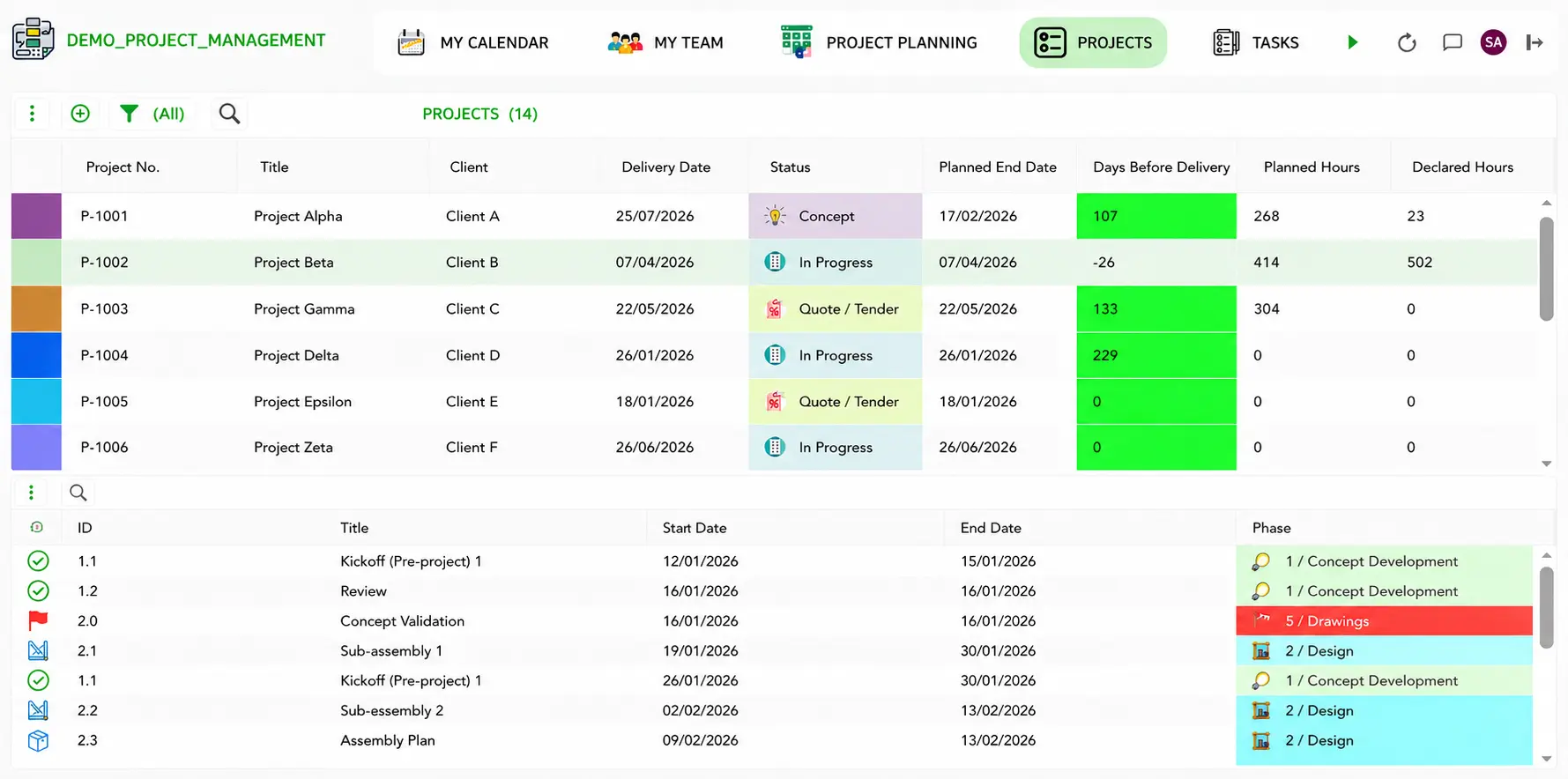

Training documents
Keep session documents close to your schedule
Organize the documents and information your team needs to prepare and follow up on training. Document generation and distribution can be configured around your processes.
- Associate useful documents with a session.
- Prepare participant invitations using session information.
- Organize attendance or completion documents.
- Share relevant documents with the people concerned.
Access your schedule wherever you work
Keep coordinators and instructors informed
Use VPPortal to access schedules in a web browser. VPGo provides mobile access to schedules and assigned activities for team members who work away from their desks.
- For coordinators: Review sessions and resource assignments from a browser.
- For instructors: Check upcoming assignments while on the move.
- For teams: Work from shared, up-to-date scheduling information.

A setup shaped around your training operations
Tailored configuration
Structure sessions, instructors, rooms and locations around your processes.
Team Training
Help administrators and everyday users get comfortable with their schedules.
Expert Support
Get help as your training activity and scheduling needs evolve.
use cases
Built for Every Industry
Training providers
Coordinate course catalogs, instructors, rooms and participants across one or more locations.
Corporate learning teams
Schedule employee training around team availability and operational demands.
Educational institutions
Bring courses, teaching staff and shared spaces into one schedule.
Multi-location organizations
Give each location a useful view while keeping overall training activity visible.
Have a different training setup?
Tell us how your team works.
Trusted By


Secure data hosting
GDPR compliant
Certified data centers
48-hour deployment
Guided onboarding included
5-day expert support
A dedicated team that understands your business and your challenges
ROI in 3 months
Average 35% time savings within 3 months
Frequently Asked Questions
Can Visual Planning schedule training across multiple locations?
Yes. You can organize sessions, instructors and rooms by location, then filter the schedule to see the information each team needs.
Can we manage both internal and external instructors?
Yes. You can include both in your schedule and use their availability and qualifications to support assignments.
Does Visual Planning track registrations?
You can associate participants with sessions, view registration statuses and check available places. The exact workflow depends on how your Visual Planning environment is configured.
Can we schedule virtual or blended training?
Yes. You can plan in-person, virtual and blended sessions and keep their scheduling information in one place.
Can instructors access their schedules on mobile devices?
Visual Planning offers browser access through VPPortal and mobile access through VPGo. The access available to each instructor depends on your configuration and permissions.
Can Visual Planning connect to our existing systems?
Visual Planning offers integration options, including APIs. Your team can review the systems and data flows you need during the demo.
Simplify your training scheduling
Give your team a clearer way to coordinate sessions, instructors, participants and resources.