




Resource Scheduling Software for Operations Managers
Stay in control of your operations and your resources in real time. Visual Planning gives operations managers a centralized platform to supervise team organization, coordinate activities, and manage resources across every operational environment.
The Challenges Operations Managers Face Every Day
Lack of visibility
No clear view of all teams and active activities simultaneously
No real-time visibility into resource availability across departments
Difficulty identifying workload imbalances before they cause disruptions
Scheduling complexity
Managing schedules across Excel files and disconnected tools
Difficulty reorganizing activities when priorities shift
Schedule adjustments that take too long and introduce errors
Coordination gaps
Complex coordination between teams, projects, and sites
Slow response to unplanned operational events
No shared visibility over activity organization across the organization
Keep a Clear View of Every Operational Activity
Operations managers need to supervise the full scope of organizational activity — teams, projects, resources, and field operations. Visual Planning centralizes this information in one shared schedule.
-
- Visualize team activities in one shared scheduling environment
- Track operations and resources in real time
- Identify conflicts and organizational constraints immediately
- Coordinate teams and departments from one common interface


Arbitrate Resource Utilization Across Competing Priorities
In an operational environment, resources are constantly pulled between competing activities. Visual Planning gives operations managers the visibility to make fast, informed allocation decisions.
-
- Identify overloaded teams before they miss commitments
- See available resources across every department instantly
- Detect organizational imbalances before they impact delivery
- Set and enforce operational priorities across teams and sites
Maintain Operational Continuity When Things Change
Operations must keep moving despite unplanned events, shifting priorities, and organizational constraints. Visual Planning gives operations managers the tools to adapt quickly.
-
- Centralized scheduling across all teams and sites
- Live visibility into active operations
- Cross-team and cross-department coordination in one place
- Fast schedule adjustments without manual re-entry


Measure and Improve Operational Efficiency
Operations managers need more than visibility — they need data to drive improvement. Visual Planning surfaces the indicators that matter.
-
- Resource utilization rates by team and period
- Workload and capacity analysis across departments
- Activity progress tracking against plan
- Operational KPIs accessible in real time
These indicators help operations leaders identify improvement opportunities and drive long-term operational performance.
Features Built to Structure and Secure Operations at Scale
- Automated Scheduling
- Multi-Site Scheduling
- ERP Integration
- Data Security and Reliability
- Role-Based Access Control
- AI Planning Assistant
Streamline operations with automated planning
When operations grow complex, scheduling must account for dozens of constraints simultaneously. VPAutomation lets operations managers automate scheduling decisions to optimize team and resource organization
• handling constraint management
• priority-based adjustments
• resource allocation automatically

Easily coordinate operations across multiple sites or departments
In organizations with multiple locations or departments, coordinating teams can become complex.
Visual Planning allows you to centralize schedules so you can view team arrangements across different locations and maintain overall operational coordination.
• Manage teams, resources, and activities across multiple sites
• priority-based adjustments
• one centralized platform

Connect Visual Planning to your existing ERP, HRIS, and business systems.
Operations management often relies on a variety of tools, such as ERP systems, HR systems, and line-of-business applications.
Visual Planning can be integrated with these systems to centralize information and eliminate duplicate data entry.
This ensures that teams have access to consistent, up-to-date information to organize their activities.
• Data flows automatically
• no duplicate entry
• no manual reconciliation

Enterprise-grade security with role-based access control, complete audit trail, and SSO authentication
Operations managers need to be able to rely on reliable information that is accessible at all times to organize activities and coordinate teams.
Visual Planning ensures data security and availability through:
• SAML
• LDAP
• Azure AD
These safeguards allow teams to work with confidence and maintain business continuity.

Set granular permissions by user, team, department, or site. Each user sees only what their role requires.
Operations managers must be able to control access to information to ensure clear and secure management of activities.
Visual Planning allows you to define access rights based on roles and responsibilities, so that data visibility can be tailored to each user.

Interact with your scheduling data naturally. Find information, surface insights, and automate routine scheduling tasks with VPPilot.
Visual Planning’s AI assistant (VPILOT) helps users navigate the schedule more easily and quickly access the information they need.
Thanks to AI, operations managers can:
• quickly find information in the schedule
• identify the relevant activities or resources
• access operational data more easily
• improve operational management efficiency

Built for Every Organization Size
Visual Planning is suitable for organizations of all sizes, helping to improve process organization
and the coordination of activities.
Small Business
Structure team organization and schedule activities as your projects and resources multiply.
Mid-Market
Coordinate multiple teams and departments with centralized scheduling and better operational visibility.
Large Enterprise
Supervise operations at scale and coordinate resources across multiple sites and business units.
Built for Every Industry
We serve a wide range of industries, each with its own unique business challenges
Manufacturing and Production
Optimization of production schedules, management of work orders, synchronization with MES and ERP.
Example of use:
- Production schedule optimization
- Work order management
- MES and ERP synchronization
Healthcare and Social Services
Scheduling of healthcare teams, on-call duty management, and compliance with staffing ratios and regulatory requirements.
Example of use:
- Clinical team scheduling
- Shift management
- Regulatory compliance
Transportation and Logistics
Route planning, driver scheduling, and management of mandatory driving and rest periods.
Example of use:
- Route planning
- Driver assignment
- regulatory driving time management
Retail & Distribution
Store staffing planning, adjusting to foot traffic, and managing cashier skills.
Example of use:
- In-store workforce scheduling
- Demand forecasting
- Labor cost optimization
Field Services
Scheduling of technician visits, multi-site management, and monitoring of customer satisfaction.
Example of use:
- Technician scheduling
- Multi-site management
- SLA tracking
Maintenance and After-Sales
Planning preventive and corrective maintenance, managing spare parts, and tracking contracts.
Example of use:
- Preventive and corrective maintenance scheduling
- Parts management
- Contract reporting
Manage Every Operation From One Platform

Workforce Scheduling
Centralize headcount, time off, skills, and certifications. HR planning that scales with your team.

Field Service Management
Schedule technicians, dispatch faster, and track every work order from open to closed.

Production Scheduling
Plan operations, track performance, and optimize resources across every production run.
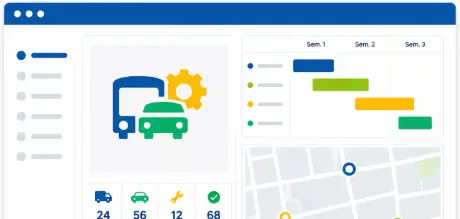
Fleet and Asset Management
Full visibility over vehicles and equipment. Utilization, maintenance, and availability in one place.

Project Management
Plan, assign, and track project progress in real time. Deadlines stay protected, not discovered at risk.

Construction Scheduling and Site Tracking
Coordinate field crews, track job site progress, and keep every project on budget and on time.
Trusted By


Secure data hosting
GDPR compliant
Certified data centers
48-hour deployment
Guided onboarding included
5-day expert support
A dedicated team that understands your business and your challenges
Fast ROI
from the first months of use
Operations Manager Scheduling Software
Frequently Asked Questions
What is resource scheduling software for operations managers?
Resource scheduling software for operations managers gives them a centralized platform to supervise team organization, coordinate activities across departments and sites, manage resource allocation, and respond to unplanned operational events in real time. It replaces disconnected spreadsheets and manual coordination with one live view of every team, resource, and operational priority.
How does VPAutomation help operations managers?
VPAutomation automates scheduling decisions based on configured rules, constraints, and priorities. Operations managers define the parameters — skills requirements, availability constraints, priority levels — and VPAutomation handles the assignments. This reduces manual scheduling time and eliminates the human error that comes with complex constraint management.
Can Visual Planning manage operations across multiple sites simultaneously?
Yes. Visual Planning is built for multi-site operations management. Each site manages its own scope while operations leadership gets a consolidated view across every location. Resources shared across sites are tracked centrally with automatic conflict detection.
How does Visual Planning help operations managers handle unplanned disruptions?
Visual Planning gives operations managers live visibility into active operations so disruptions are visible the moment they occur. Managers can reassign resources, adjust schedules, and notify affected teams directly from the platform in minutes, not hours.
Does Visual Planning integrate with our ERP and existing business systems?
Yes. Visual Planning connects to SAP, Oracle, Microsoft Dynamics, and 200+ other systems via REST API with real-time bidirectional sync. Operational data flows automatically between systems so scheduling always reflects current conditions across every team and site.
Is Visual Planning suitable for operations teams of all sizes?
Yes. Visual Planning scales from small operations teams to large enterprise organizations managing thousands of resources across multiple sites. The platform grows with your operational complexity without requiring a new implementation.
Your Operations Are Too Complex to Run on Spreadsheets and Status Calls.
Join the operations managers who use Visual Planning to stay ahead of every resource conflict, every disruption, and every deadline.